View search
Use view search to narrow the records in the view you already have open.
Understand what view search covers
View search checks the record title and the fields included in the current view. It matches text anywhere in a value, without requiring the same capitalization.
Search works together with the view's filters. A record must be inside the filtered result set and match your search to remain visible. In a grouped view, Bidlo also updates the groups and their counts to the matching records.
Search the current view
- Open the view you want to search.
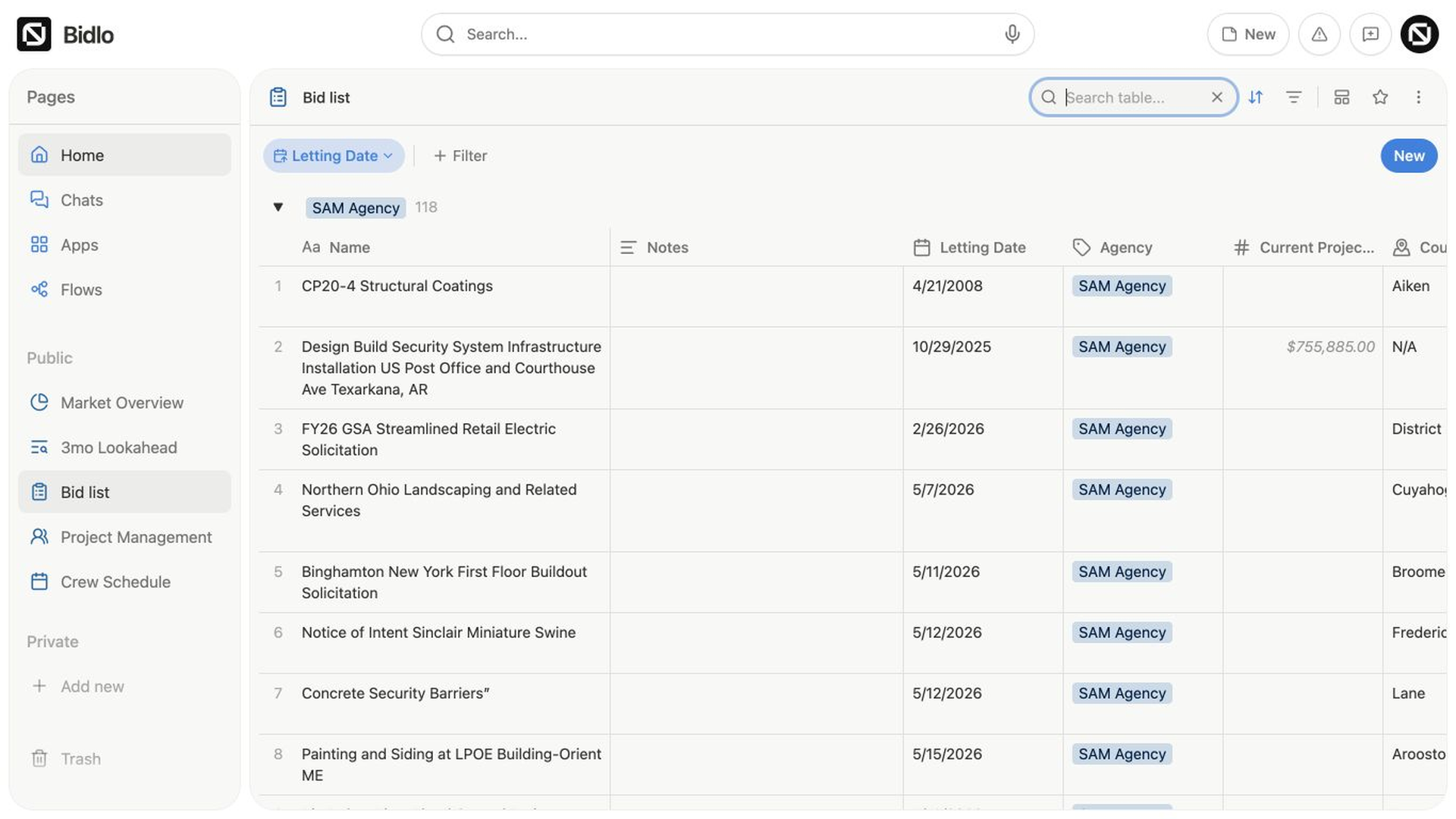
- Select the search icon in the view header.
- Enter a word, number, or phrase in the
Search table...box. - Review the matching records.
Bidlo updates the view as you type. Calculations and grouped summaries also refresh to reflect the matching records.
Clear a search
Select the × in the search box to clear the query and restore the records allowed by the view's filters. The search box stays open so you can enter another query.
If a table has no matches, select Clear search in its empty state. You can also clear the text in the search box yourself.
Search a view in a dashboard
A dashboard doesn't have one search box for every widget. Use the search control in an individual view tile to narrow that tile's records.
The query applies only to that view. It doesn't change the other tiles or the dashboard's saved filters.
Related pages
FAQs
Why does view search miss a value I know exists?
View search checks the record title and fields included in the current view. Show the relevant field or use global search when you need a broader lookup.
Is view search saved for teammates?
No. It is temporary and begins blank when the view is opened again. Use a filter when the condition should remain with the view.