Appearance
Choose the visual theme, interface detail, dictation stop word, and sidebar sections that suit your work.
2 min read · Reviewed
Personalize how Bidlo looks and how much interface detail it shows on this device.
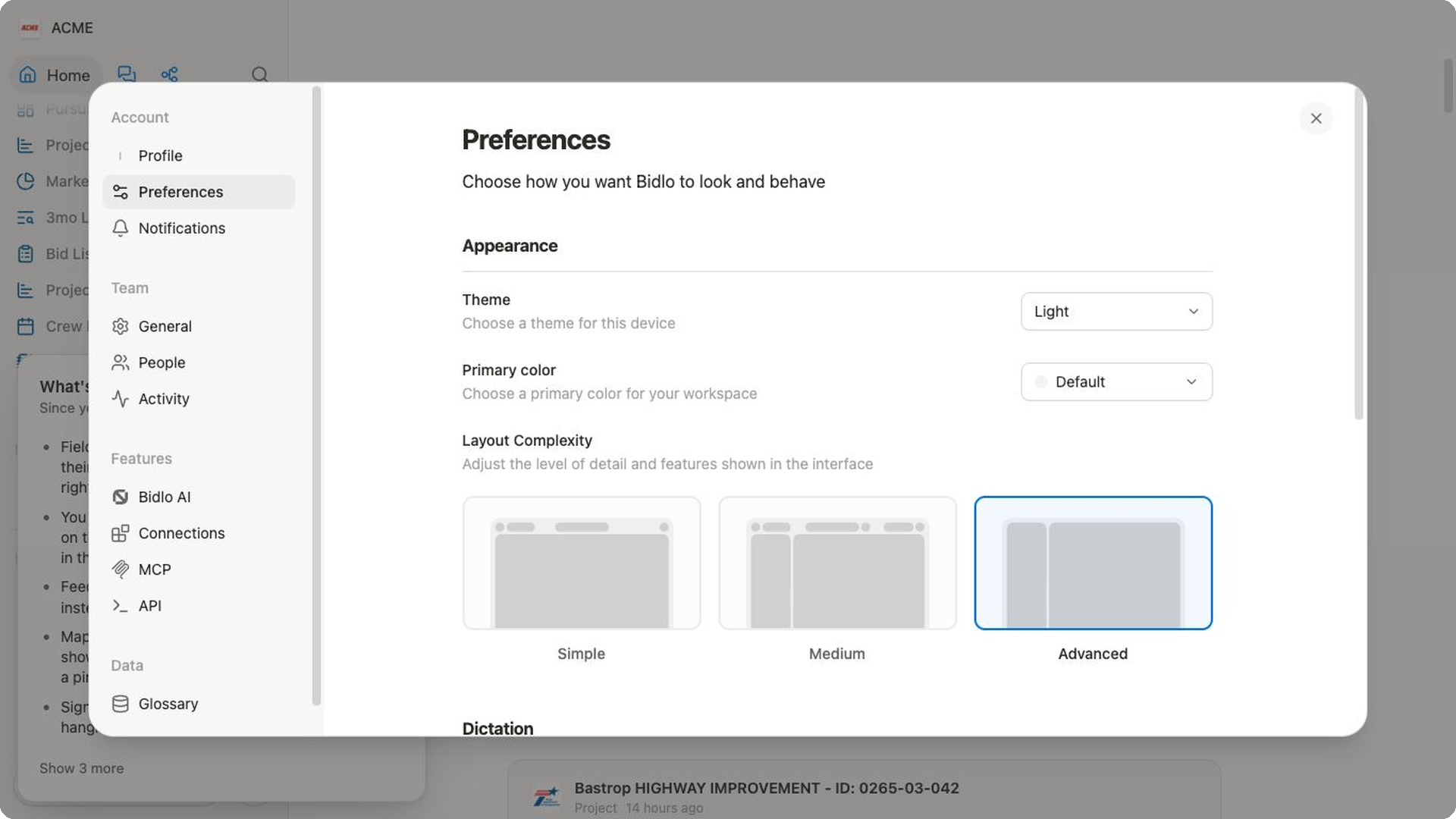
Open Preferences
Open Settings → Preferences. Changes here affect your experience; they do not change the team's records or grant additional permissions.
Choose appearance
Themefollows your device or uses the light or dark option available in the selector.Primary colorchanges the interface accent color.
Theme is device-specific, so another device may use a different appearance.
Choose layout complexity
Select Simple, Medium, or Advanced under Layout Complexity.
- Use
Simplewhen you want the fewest visible controls. - Use
Mediumfor a balance of guidance and editing tools. - Use
Advancedwhen you regularly manage views, fields, and other detailed controls.
Changing complexity does not remove data. It changes how much interface detail is visible.
Set dictation and sidebar preferences
Set the dictation stop word if you use voice input. Under Sidebar, choose whether sections such as Recent, Favorites, Shared pages, Public pages, and Private pages appear.
Hiding a sidebar section does not delete or unshare its pages. You can turn the section on again from Preferences.