AI usage
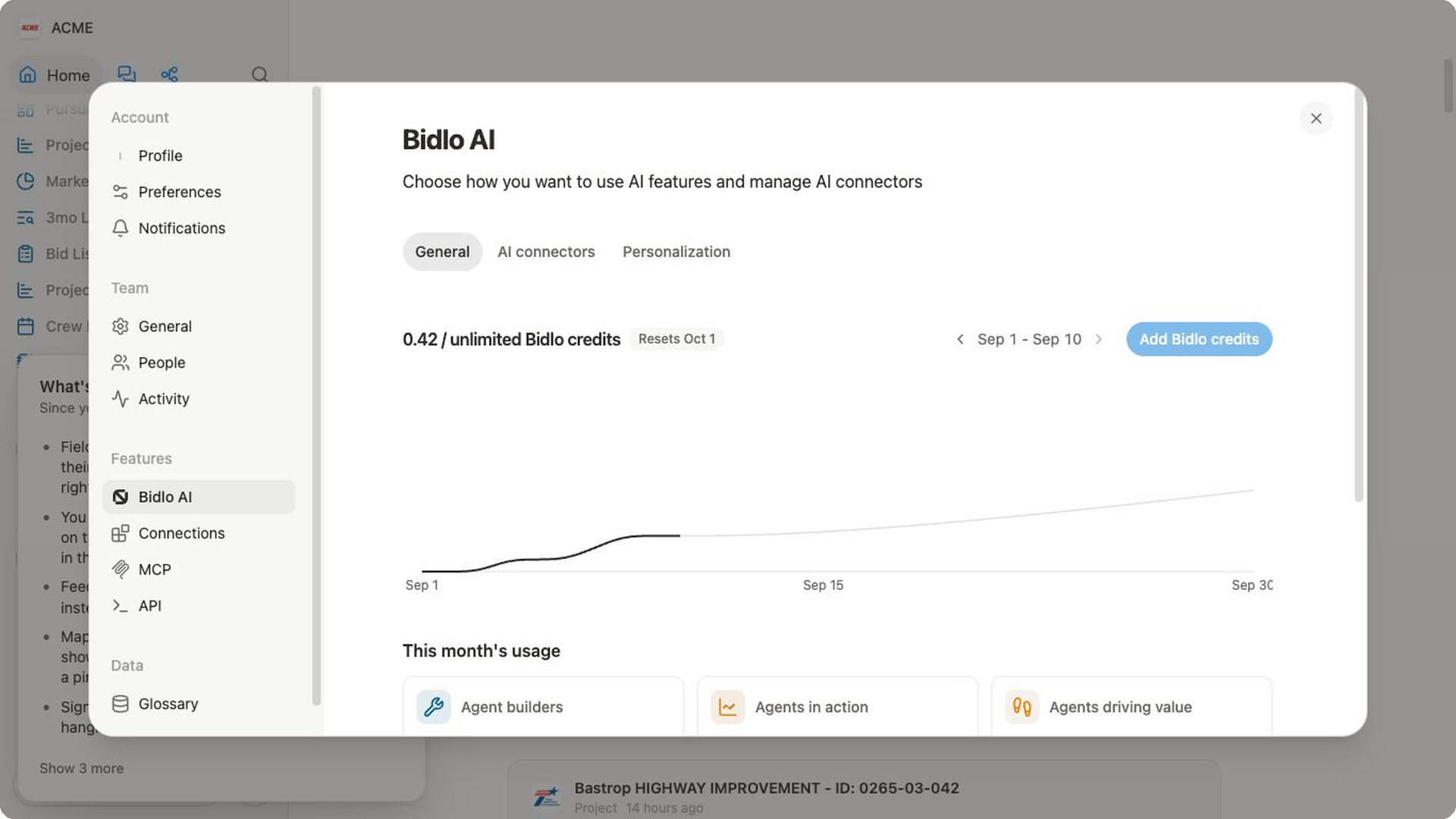
Use the Bidlo AI report to understand how your team is using AI features during a selected month. The report brings credit use, chats, custom apps, custom agents, and completed agent runs into one place.
Review AI usage
- Open
Settings→Bidlo AI. - Stay on the
Generaltab. - Review the Bidlo credits used and the current allowance shown at the top.
- Use
Previous monthorNext monthto move between available months. - Check the date range above the cumulative usage chart to confirm which days are included.
- Review
This month's usage, then chooseTeam,Custom apps, orCustom agentsfor a detailed breakdown.
The current month can show a partial date range through today. Next month is unavailable when you're already viewing the current month.
Understand the report
The summary at the top shows credits used, the allowance available to the team, and the date when the displayed usage period resets. The chart shows cumulative credit use across the selected month.
The three summary metrics describe custom-agent activity:
Agent buildersshows how many members are creating Custom Agents.Agents in actionshows how many Custom Agents were live during the month.Agents driving valueshows completed agent runs.
Use the detail tabs to answer different questions:
Teamcompares each member's credits used, chats, and custom apps.Custom appscompares each app's credits used and version count.Custom agentsshows usage after a custom agent has been used in chats.
If usage looks incomplete
- Confirm the selected month and the date range above the chart.
- Check all three detail tabs; each one reports a different type of activity.
- Remember that a zero can mean the feature wasn't used during that month.
- If
Custom agentsis empty, use an agent in a chat before expecting usage to appear. - Treat the allowance and reset date shown in Bidlo as the current source of truth for your team.
Related pages
FAQs
Why does AI usage look lower than expected?
Confirm that you’re viewing the correct month and team. The report only includes Bidlo AI activity within that selection, and recent activity may take time to appear. It doesn’t count activity from other teams, other months, non-AI Bidlo features, or external tools.
Does higher credit use mean better results?
No. Credit use measures consumption, not quality. Review the underlying chats, apps, agents, and completed runs when you need to understand the work behind the total.