Recent pages
Return to pages you opened recently without searching for them again.
Understand recent pages
Bidlo keeps a personal history of the pages you open. Opening a page moves it to the top of your recent history; it does not move the page, add it to Favorites, or change who can access it.
Depending on your workspace mode and sidebar preferences, recent work can appear in these places:
Recently visitedonHome.Recentin the sidebar.Recentwhen you open global search before entering a query.
Open a recent page
From Home:
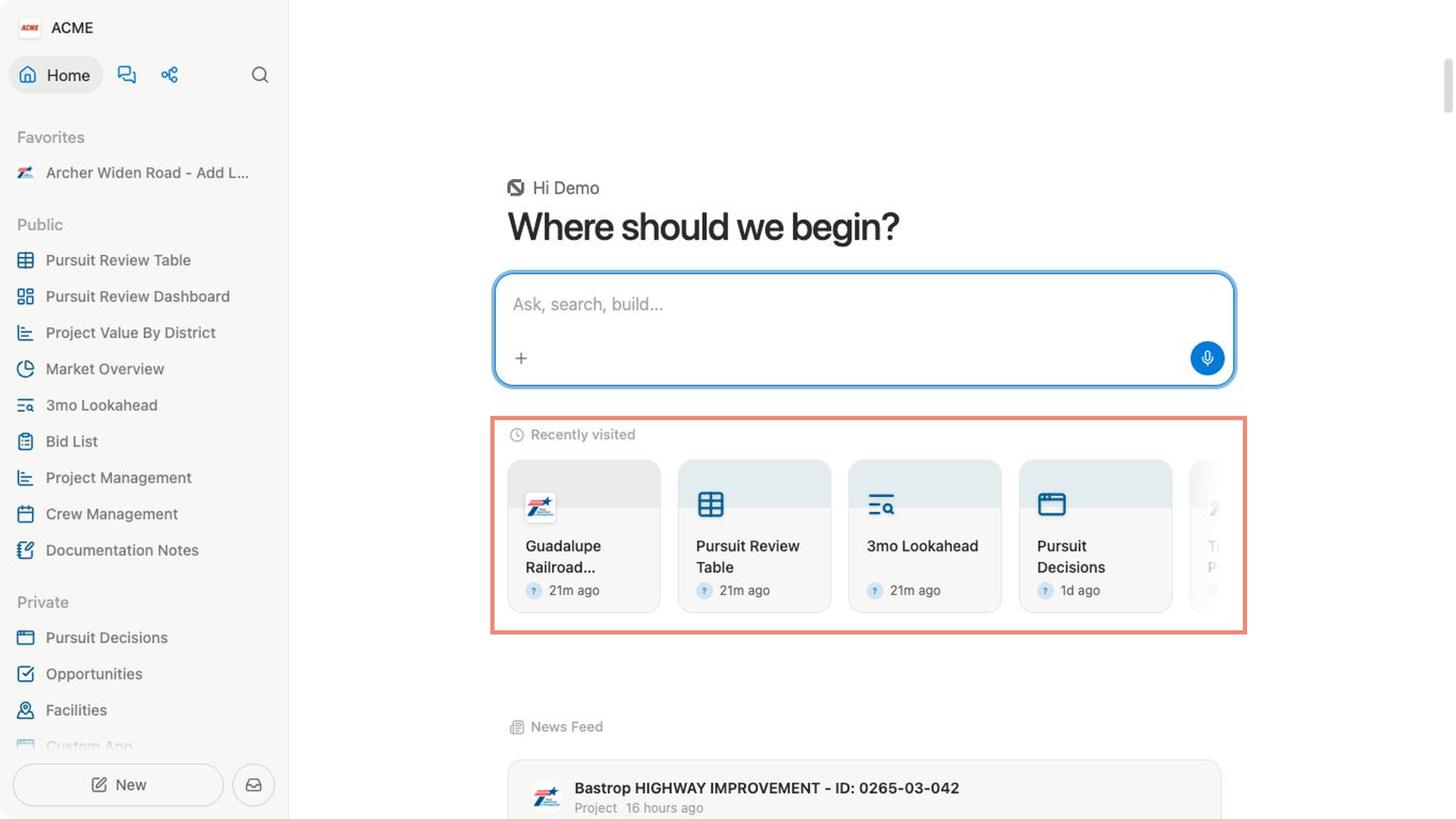
- Open
Home. - Find
Recently visitedbelow the main prompt. - Select a card to reopen that page.
From the sidebar:
- Open the
Recentsection. - Select one of the four pages shown.
- To see more, select
More. - In
History, find a page underToday,Yesterday,Previous 7 Days,Previous 30 Days, orOlder, then select it.
Show Recent in the sidebar
The Recent section is hidden by default.
- Select
Settingsat the bottom of the sidebar. - Under
Account, selectPreferences. - Under
Sidebar, turn onRecent. - Return to the sidebar. The section appears after you have opened at least one page.
Related pages
FAQs
Why can’t I see Recent?
The section may be turned off or your recent history may be empty. Turn on Recent under Settings → Preferences → Sidebar, then open a page.
The Recently visited cards on Home also depend on your workspace mode.
Use the sidebar or global search when they are not shown.
What determines the order?
Bidlo puts the page you opened most recently first. Opening a page that is already in your history moves it back to the top instead of adding a second copy. The sidebar shows the first four pages; select More when you need an older page.
The time headings in History help you scan beyond the latest pages. They describe when you last opened each page, not when the page was created or edited.
Can Recent bypass page access?
No. Recent history is a shortcut, not a permission. If your access to a page changes, ask the page owner or a workspace administrator for the appropriate access.