Field types
Choose a field type that matches the information you want people to enter, display, and use in views.
Understand field types
A field type controls the kind of value a field accepts and the controls used to edit it. For example, a Date field opens a date control, while a Checkbox field stores a yes-or-no choice.
Choose carefully when you create a field. Bidlo keeps an existing field's type locked. If the structure changes later, create a new field and move or re-enter the values you still need.
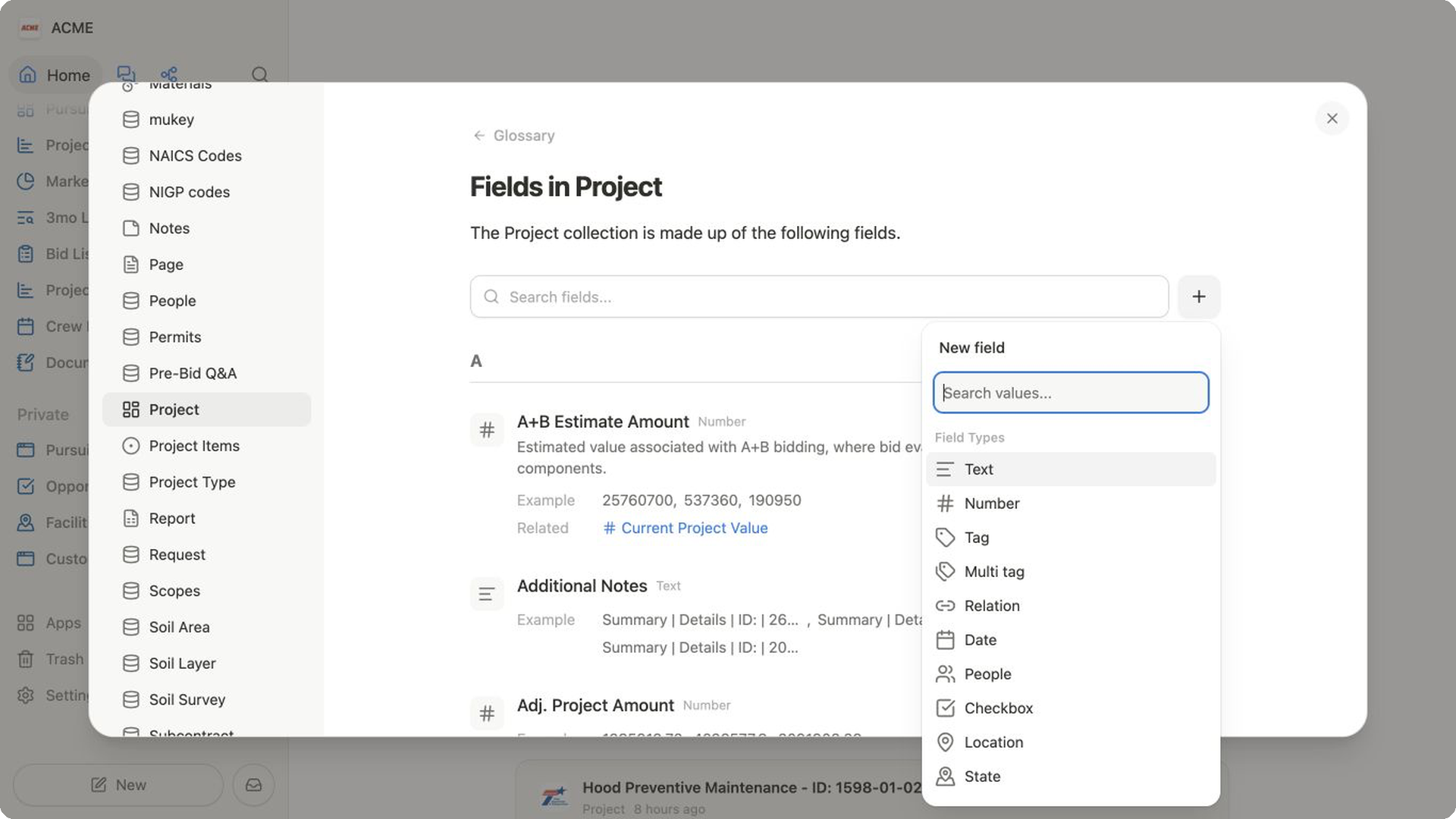
Choose a field type
Enter text and numbers
Text— Names, descriptions, reference codes, and other free-form words or characters.Number— Quantities, costs, percentages, distances, and other values you may want to calculate or summarize. Number settings can control formatting, decimal places, and visual displays such as a bar or ring.
Choose from consistent options
Tag— One reusable label from a defined set, such as a project status.Multi tag— Several reusable labels on the same record, such as work categories or capabilities.Checkbox— A yes-or-no value for questions such as “Approved?” or “Site visit complete?”State— A consistent state selection for records that should not use free-form text.County— A consistent county value for county-based work and filtering.
Track dates, people, and places
Date— A calendar date, with optional display settings for the date and time.People— One or more members of your Bidlo team. You can limit the field to one person or allow multiple people.Location— A place or address that can support map views and location-based work.
Connect and calculate
Relation— Links a record to one or more records in another collection.Formula— A calculated value based on other fields. Use it when the result should update from a defined expression instead of being entered manually.
Every collection also has a required title field, usually named Name. It identifies each record and is created with the collection, so it does not appear as a choice in the new-field list.
Create a field with the chosen type
- Open a view connected to the collection you want to update.
- Open the view settings.
- Select
Columnsin a table orFieldsin another layout. - Select
New field. - Choose the field type.
- Enter a clear name and review the settings shown for that type.
Bidlo adds the new field to the collection and the current view. Type-specific choices appear in Edit field. For example, you can adjust number formatting, date and time display, people limits, tag options, or relation behavior.
Related pages
FAQs
Can I change a field's type later?
No. The field editor keeps the type locked. Create a new field with the correct type, confirm that its values are complete, and delete the old field only when it is no longer needed.
Should a status be a tag or text field?
Use Tag when each record should have one value from a consistent set, such as Planned, Active, or Complete. Use Text when the value is open-ended and does not need a controlled list.
When should I use a relation instead of a tag?
Use a relation when the selection is another Bidlo record with its own fields, such as a contractor, facility, or project. Use a tag when you only need a reusable label.