Notifications & digests
Subscribe to important pages and choose how Bidlo delivers updates.
2 min read · Reviewed
Subscribe to the pages you care about, then choose how summaries and alerts reach you.
Subscribe to a page
- Open the page you want to follow.
- Open the page settings or
Moremenu. - Choose
Notify mewhen it is available. - Select the notification method or changes you want to follow.
Subscriptions are page-specific. Following one page does not subscribe you to every page in the collection or team.
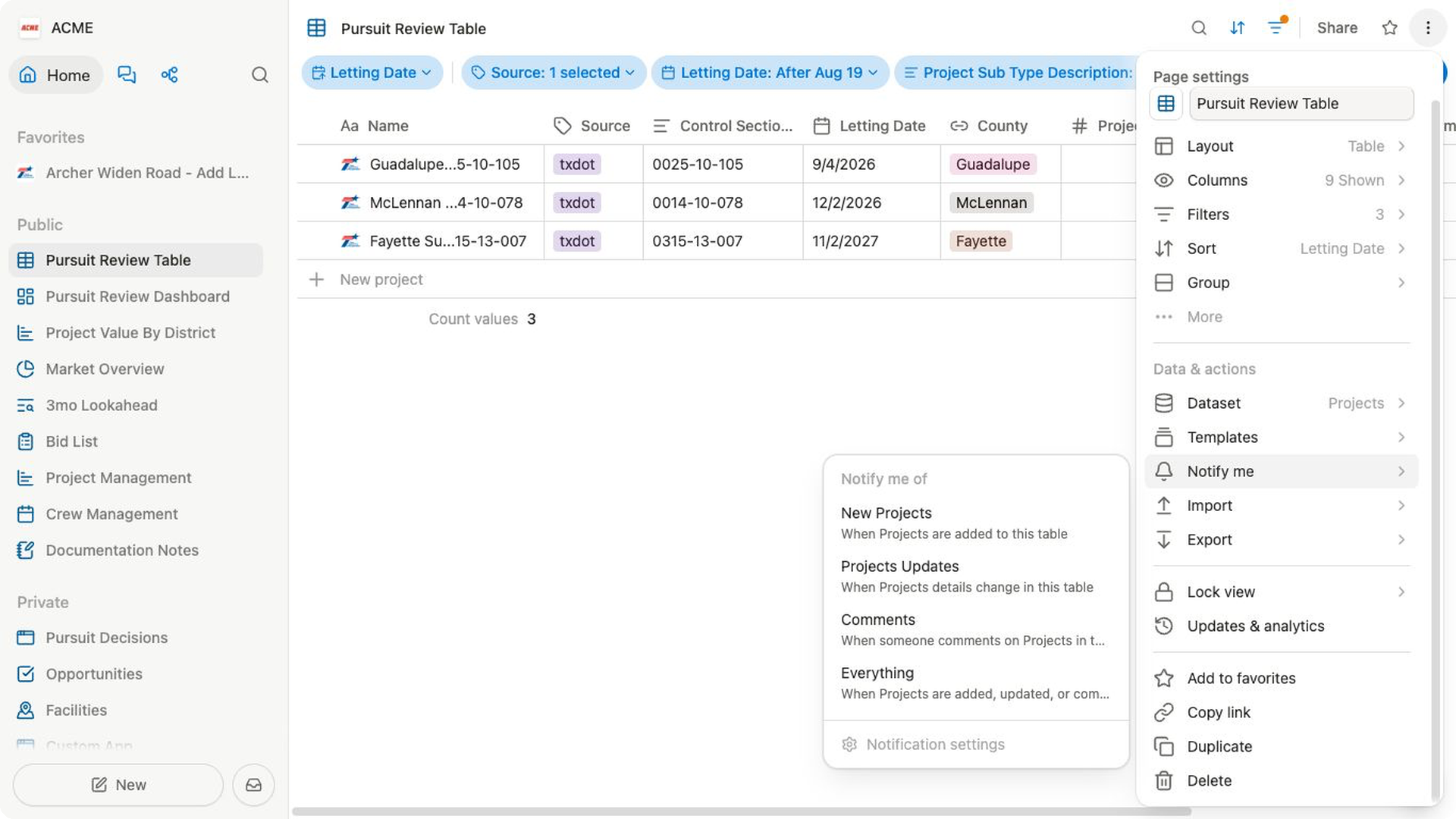
Choose delivery settings
- Open
Settings→Notifications. - Under
Emails, set theBidlo digestcadence you want. ChooseNeverif you do not want the digest. - For a scheduled cadence, choose
Send at. Bidlo shows the available times in Central Time. Hourly digests do not use a single send time. - Review
Platform alerts, which can include email when someone shares a page or chat with you. - Review the optional research and product email topics shown below the platform settings.
- Under
This device, turn onNotify on this deviceonly if you want local notifications and your browser allows them.
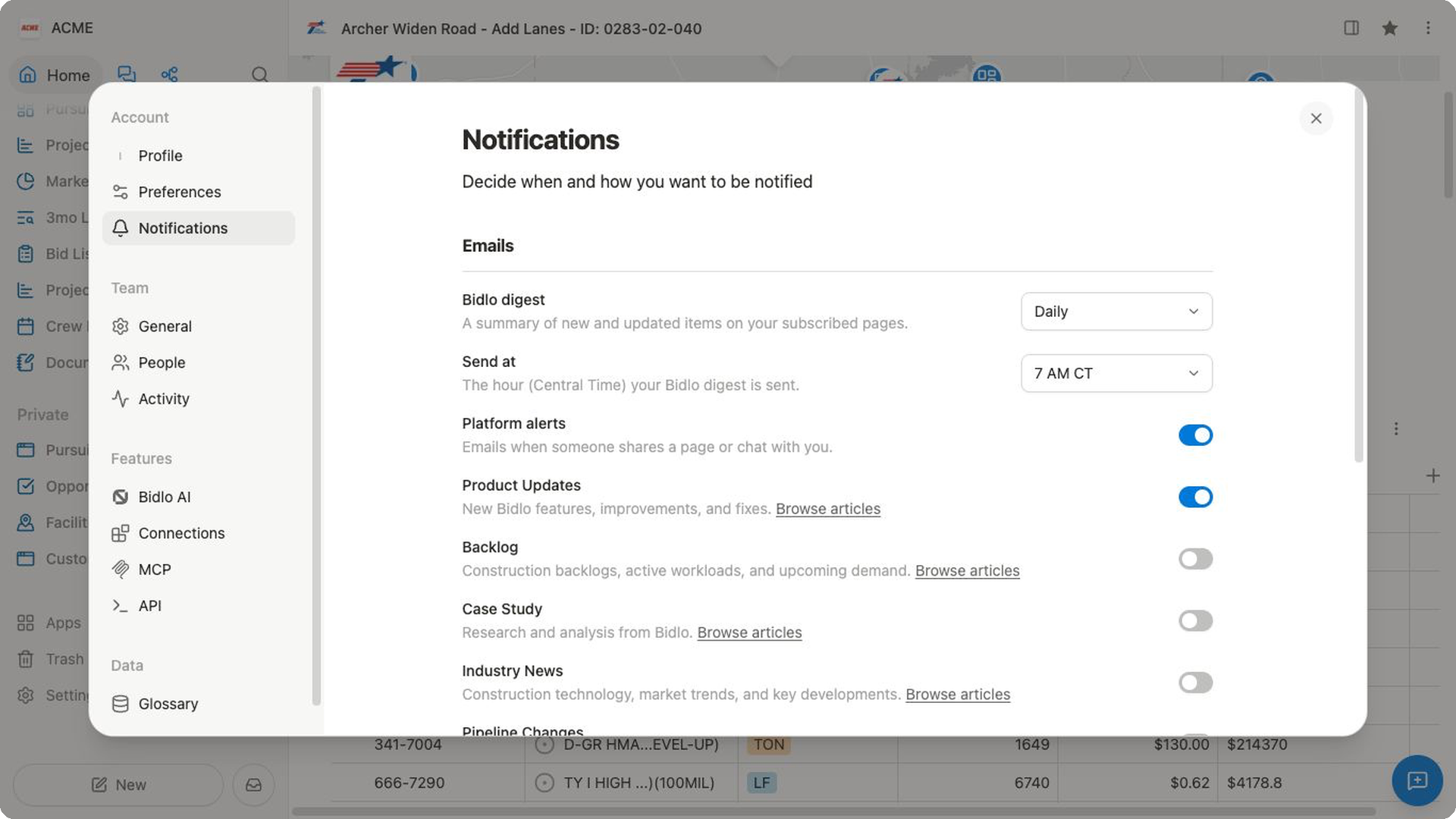
The settings page can also show the pages you follow. To change what a page sends, return to that page's Notify me control.
If you do not receive an update
- Confirm that you subscribed to the specific page.
- Check the digest cadence and platform-alert settings.
- For device alerts, check the browser and operating-system notification permissions.
- Check filtered or junk email.
- Ask a teammate to confirm that the expected change actually happened on the subscribed page.
Related pages
FAQs
Does following one record subscribe me to its entire collection?
No. Subscriptions are page-specific. Follow each page you want to receive updates about.
Why am I not receiving device notifications?
Confirm that Notify on this device is enabled and that your browser allows Bidlo to send notifications. Email and device delivery are configured separately.