What is Bidlo?
Bidlo connects your team, AI agents, and the software you already use to improve accuracy, efficiency, and profitability.
It gives your team one place to organize context, see the same data in useful ways, and move work forward.
Find an opportunity, open its project record, review the details your team needs, and continue the work from the same workspace.
What you can do in Bidlo
You can use Bidlo to:
- Write and organize work on pages.
- Track information such as projects, contractors, and facilities.
- Present the same records as a table, board, calendar, timeline, gallery, map, or chart, or combine several views in a dashboard.
- Ask Bidlo AI questions and continue conversations.
- Open focused apps and use flows for repeatable work.
Your active team name appears in the header. Each team has its own workspace, membership, pages, data, chats, apps, and flows. If you belong to more than one team, check this name before you create or change work.
How pages and data fit together
Bidlo uses a small set of connected building blocks:
- A page gives work a place in your workspace and sidebar.
- A collection defines a kind of repeatable information, such as projects or contractors.
- A record is one item in that collection, such as one project.
- A field holds one detail about a record, such as a date, status, location, person, or relation.
- A view presents the collection in a layout suited to the task.
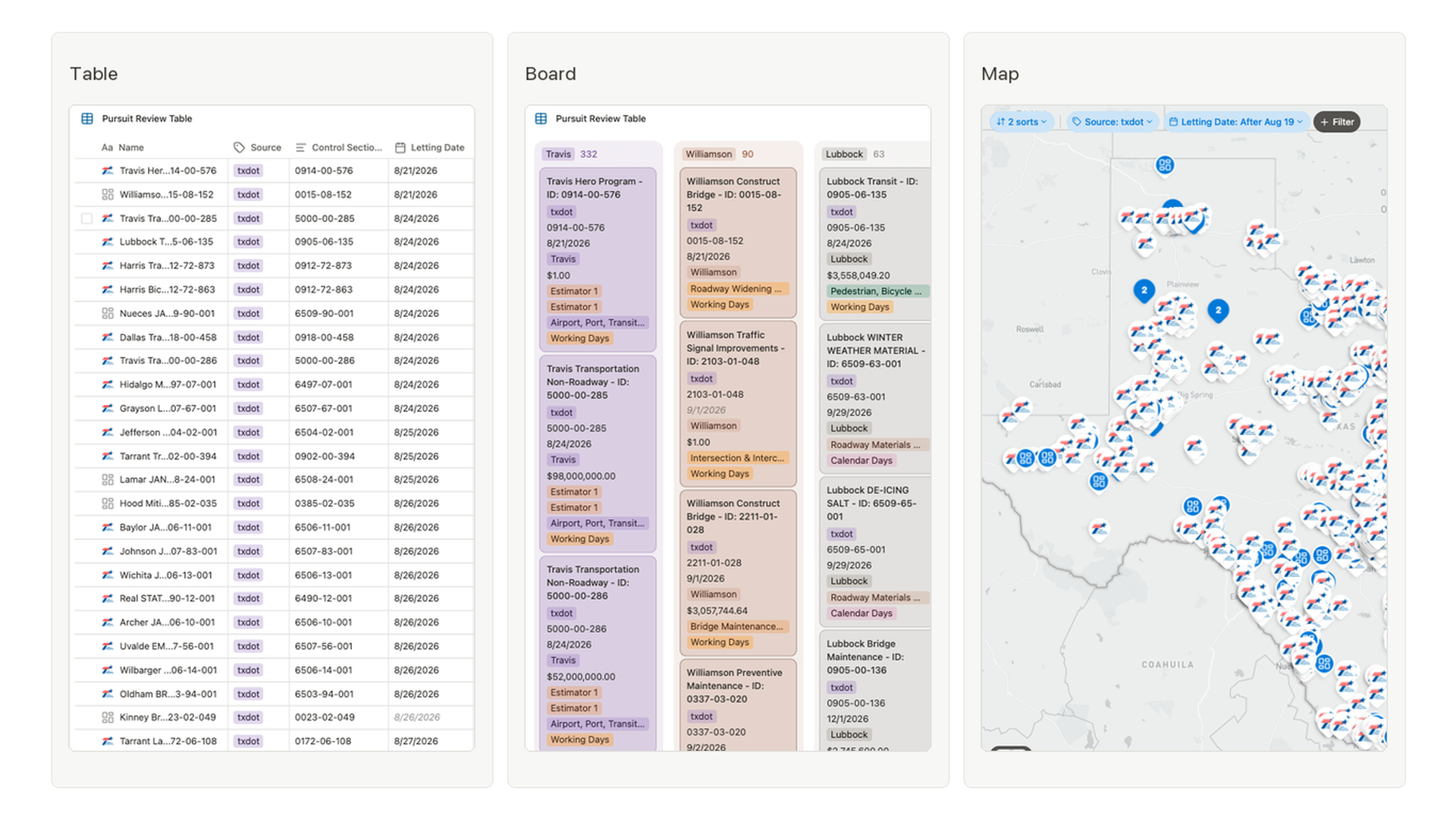
For example, your team can review one Projects collection in a Table, move projects through stages in a Board, and compare locations on a Map. These views present the same underlying project records instead of creating separate copies.
Where to start in the workspace
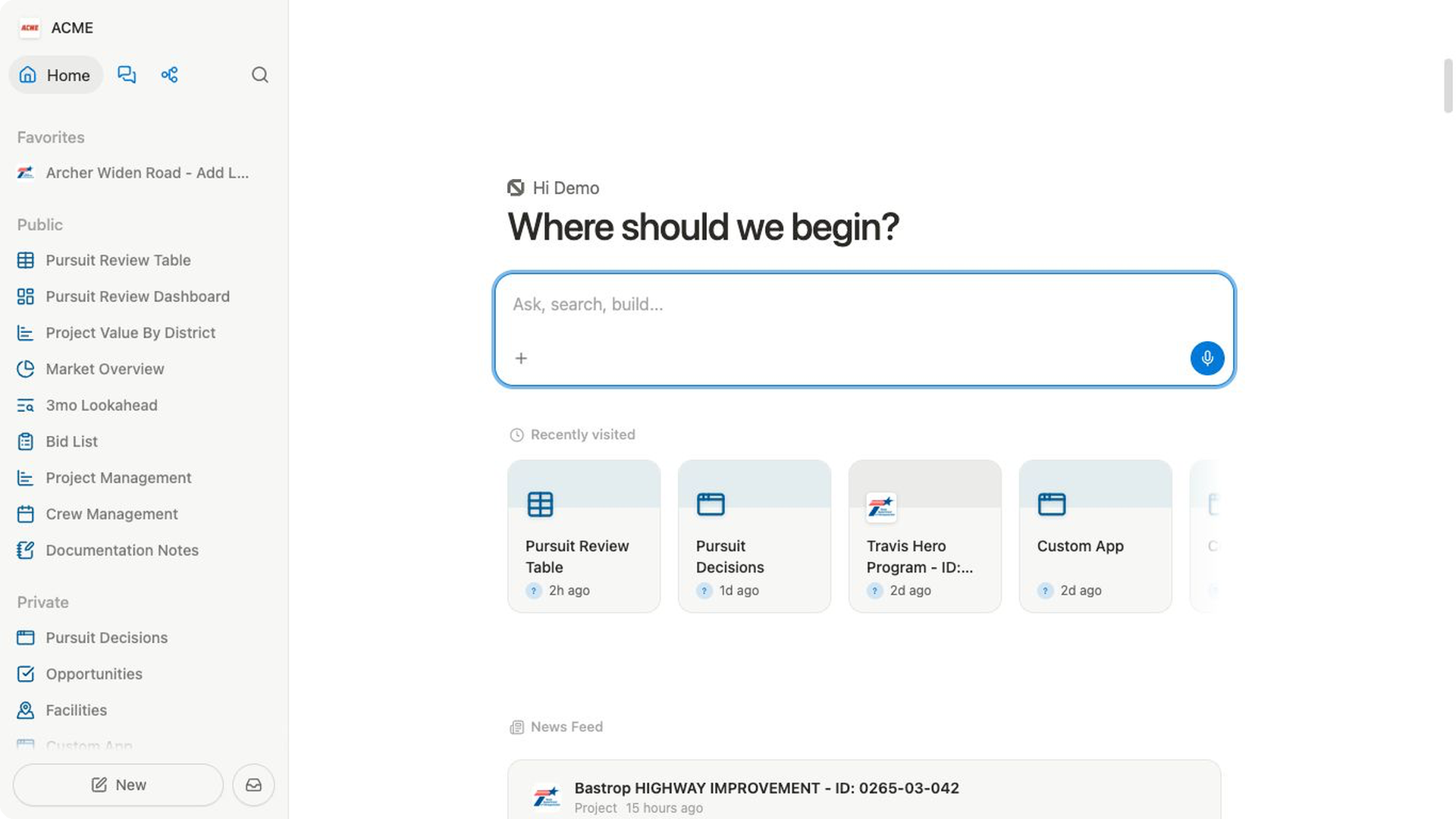
The main destinations stay close in the sidebar and header:
- Select
Hometo return to the workspace home. - Use
Search...to find work or move to another area. - Open
Chatsto start or continue a Bidlo AI conversation. - Open
Appsfor focused, interactive tools. - Open
Flowsfor repeatable processes.
On Home, Ask anything (@ to search)... starts a chat. Depending on your workspace mode and content, Home can also show Recently visited and News Feed.
Follow the basic project workflow
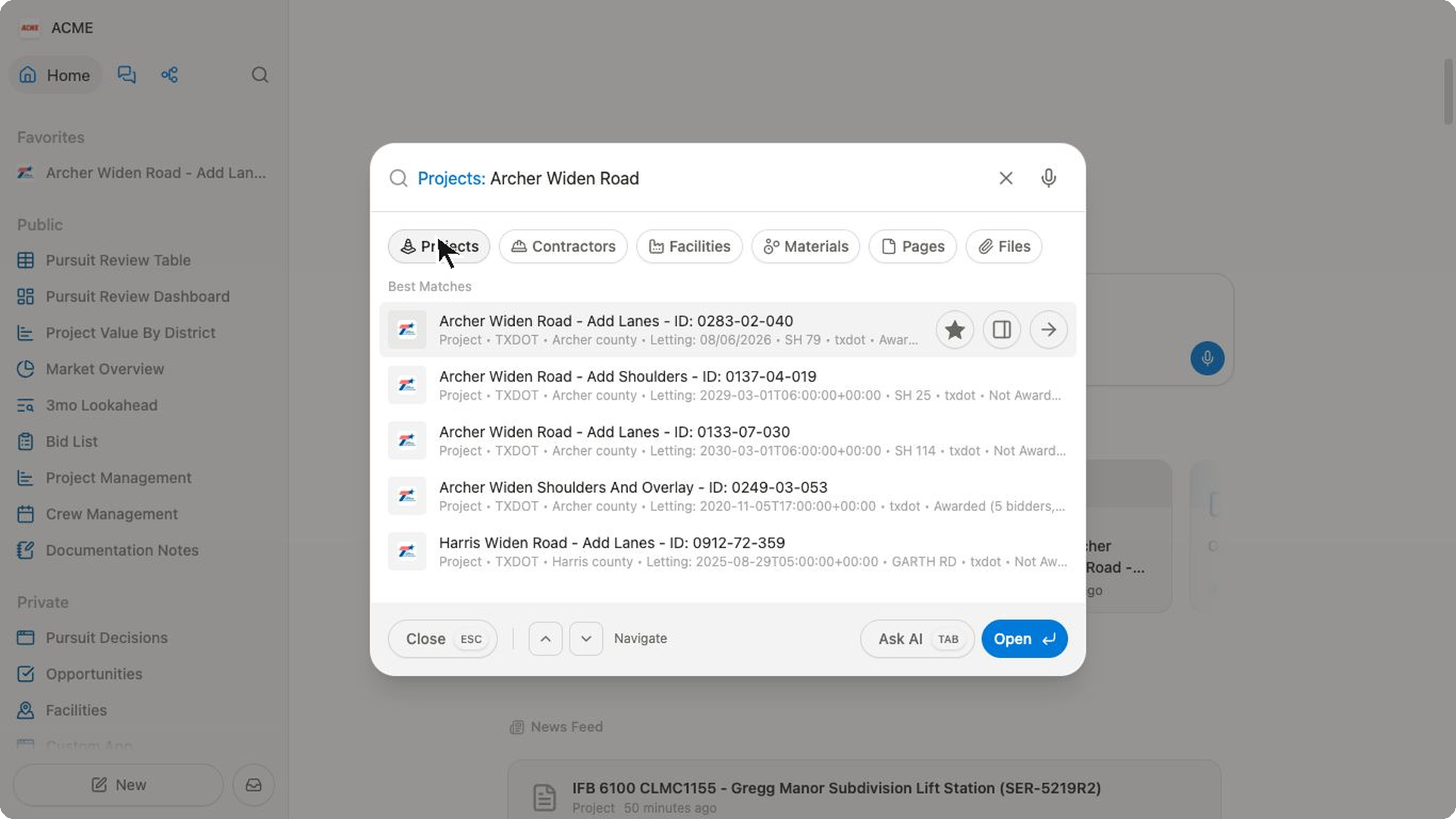
Start by opening a project and looking around. These steps won't change anything in your workspace:
- Open
Search.... - Enter a title or keyword, then select
Projectsto narrow the results. - Open a project record.
- Review its
Details, map, and fields. - Open areas such as
ItemsandFileswhen you need project items or supporting documents.
This keeps the opportunity and its context together. From there, your team can use pages and views to organize the next part of the job.
Choose where a page belongs
The sidebar separates team work from personal work:
publicis for pages available inside your Bidlo team, subject to permissions.privateis for your personal pages and drafts.Favoritesholds your personal shortcuts to work you want nearby.
Start with one useful outcome
You don't need to configure every part of Bidlo first. Begin with one job you already understand—such as reviewing active projects or drafting a checklist.
Add collections, fields, views, apps, and flows when that job needs them.
For a guided first task, follow Start here: your first 10 minutes.
Related pages
- Start here: your first 10 minutes
- Teams and workspaces
- Bidlo vocabulary
- Collections and records
- Views overview
FAQs
Is Bidlo only for projects?
No. Projects are one collection your team can use. Collections can also represent other repeatable information, including contractors, facilities, and materials.
Do I need Bidlo AI to use the workspace?
No. You can create, organize, search, and edit work directly. Bidlo AI gives you another way to ask questions and work with context available to you.