Keyboard shortcuts
Use current shortcuts for search, dictation, and the sidebar.
1 min read · Reviewed
Use these shortcuts to reach common Bidlo controls without leaving the keyboard.
| Action | Mac | Windows |
|---|---|---|
| Open global search | ⌘ K | Ctrl K |
| Start dictation | ⌘ E | Ctrl E |
| Toggle the current sidebar | ⌘ B | Ctrl B |
Search from anywhere
Press ⌘ K on Mac or Ctrl K on Windows to open the Command Palette.
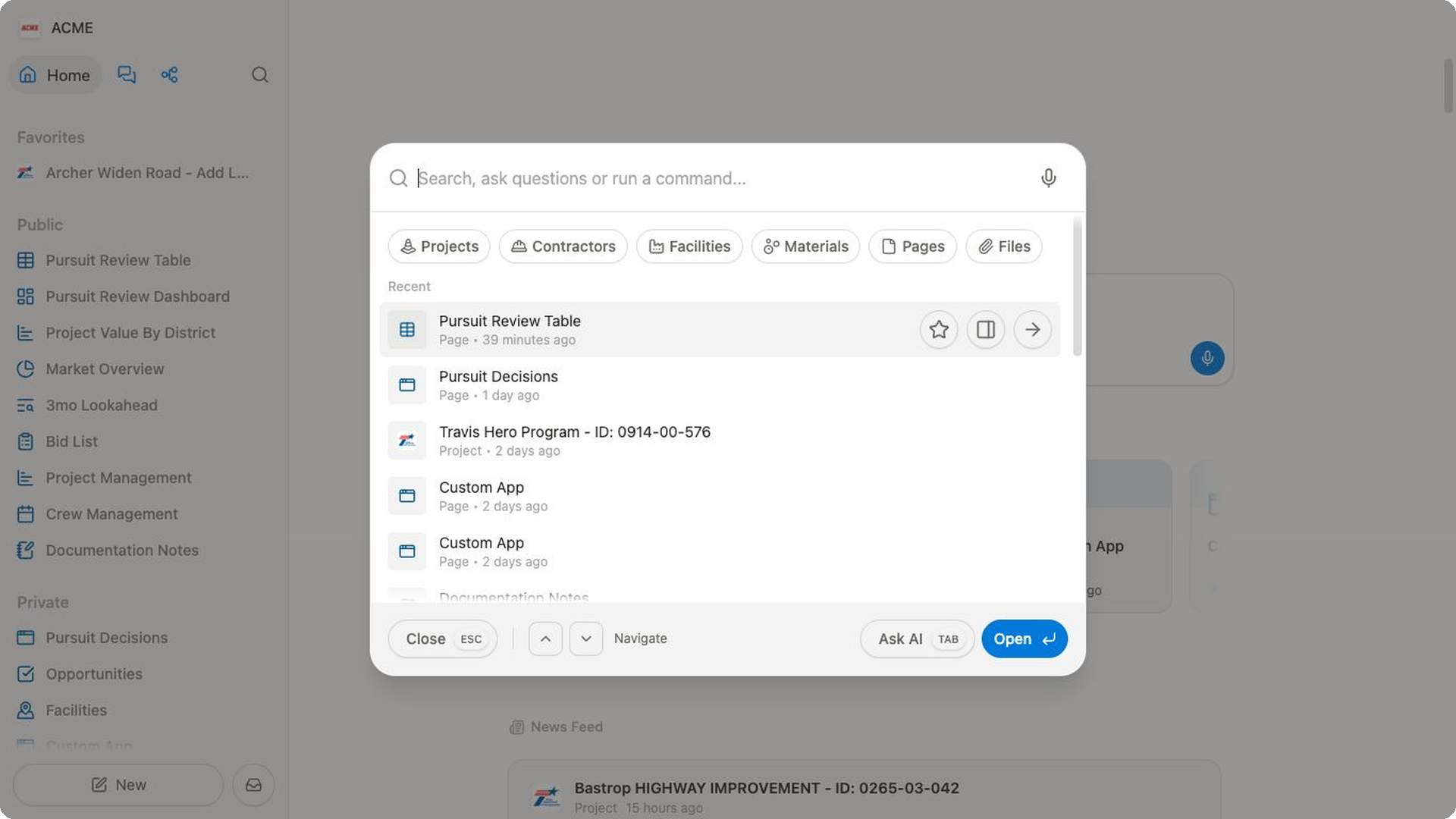
Inside global search:
- press
Escto close; - use the arrow keys to move through results;
- press
Tabto switch toAsk AI; - press
Enterto open the selected result.
Dictate a prompt
Press ⌘ E on Mac or Ctrl E on Windows while a Bidlo prompt is focused.
Review the transcription before sending it, especially names, dates, project identifiers, quantities, and units.
Toggle the sidebar
Press ⌘ B on Mac or Ctrl B on Windows to hide or restore the current sidebar.