
The next level of autonomy

Jobs that plan & build themselves.
bidlo.com/agents

Trusted every day by heavy civil contractors

Everywhere you work

Consistent across every device.

Desktop

Back office visibility into every aspect of the job.
Interactive demo with multiple windows showing Bidlo's AI-powered features. The interface is displayed over a subtle, solid brand background.

Tablet

Monitor progress and schedule from the truck or the trailer.

Mobile

Update production quantities from the job site.

Shared out

Share selected content with subs and agencies outside your team.

Stay ahead of the job

Tools to help you track, predict and maintain progress.

Progress against the bid

Tie project items to bid items to track progress and incentivize strategic underruns.
23306131$58,000$14,000$17,500$15,000$66,000$63,000$63,000$63,000$1,170,000$1,190,000$1,190,000$1,190,000$98,000$98,000

Generate change orders

Quickly detect likely overruns and adjust or generate change orders.
Overrun detected DRILL SHAFT (18 IN)Compared placed quantity against the bidRead the approved change orders nearbyMatched the 38 LF to the site conditionDrafted the change order at the bid unit price.Change Order 2 - Smith Widen Road.pdfPDF / 96 KB

Smart dependencies

Link resources and activities to immediately see downstream effects.

Plug into your tools.

Workflows and automation that span your existing software.

Daily progress report

A flow lays the day’s cost from accounting against the HCSS estimate and emails the report.
Every morning
EmailDPRtoProject manager
Pull activity fromHCSS
Pull cost data fromSage

Automatic exports

Owner-required Gantt charts, emails and reports on autopilot.
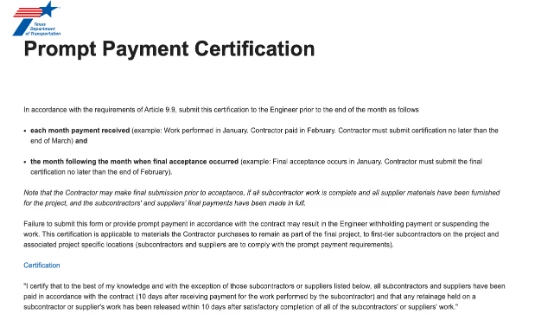
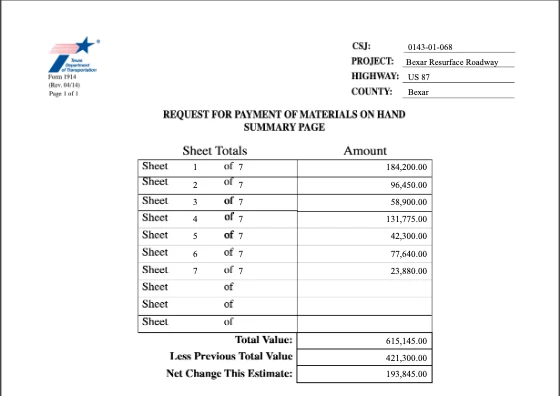
ItemsFilesQ&AProject Schedule Summary.pdfPrompt Payment Form 2177.pdfMaterials on Hand Request.pdfNew File

Data on demand

Ask for any figure in chat, or open the same page with the crew and the sub.

Instructions

Show me @HCSS activities on jobs in Bexar County where we typically overrun.

Tools

HCSS

Driving real value

How contractors are using Bidlo to manage projects.

Daily progress reports

The crew types the day’s quantities, and the job’s totals move with them.

Crew schedules

Every crew on one board, by the week, with the activity each is on.

Plant production

A day’s tonnage per plant, against what each job it feeds still needs.

Lookahead and annual planning

Every job on one board by the week, so the gaps show early.

Planned against actuals

What was placed beside what was planned, week by week, so patterns show.

Quantity overrun → change order drafted

CO Generator compares final quantities against the bid and drafts the change order from what nearby jobs were paid.

Running the job, in their own words.

I’ve started using Bidlo for everything I can.

Kevin Lillard Dir. Business Development, HJC

I see this master bid report or pipeline as a living, breathing, all-encompassing table—pulling the status from HeavyBid while still letting us update jobs that aren’t in HeavyBid.

Cory West CCO, TRP Infrastructure Services

Wow! I like that it gathered basically all of it.

Maria Ray Estimating Assistant, Posillico

Run the job in Bidlo.